
How do I ask a research question?
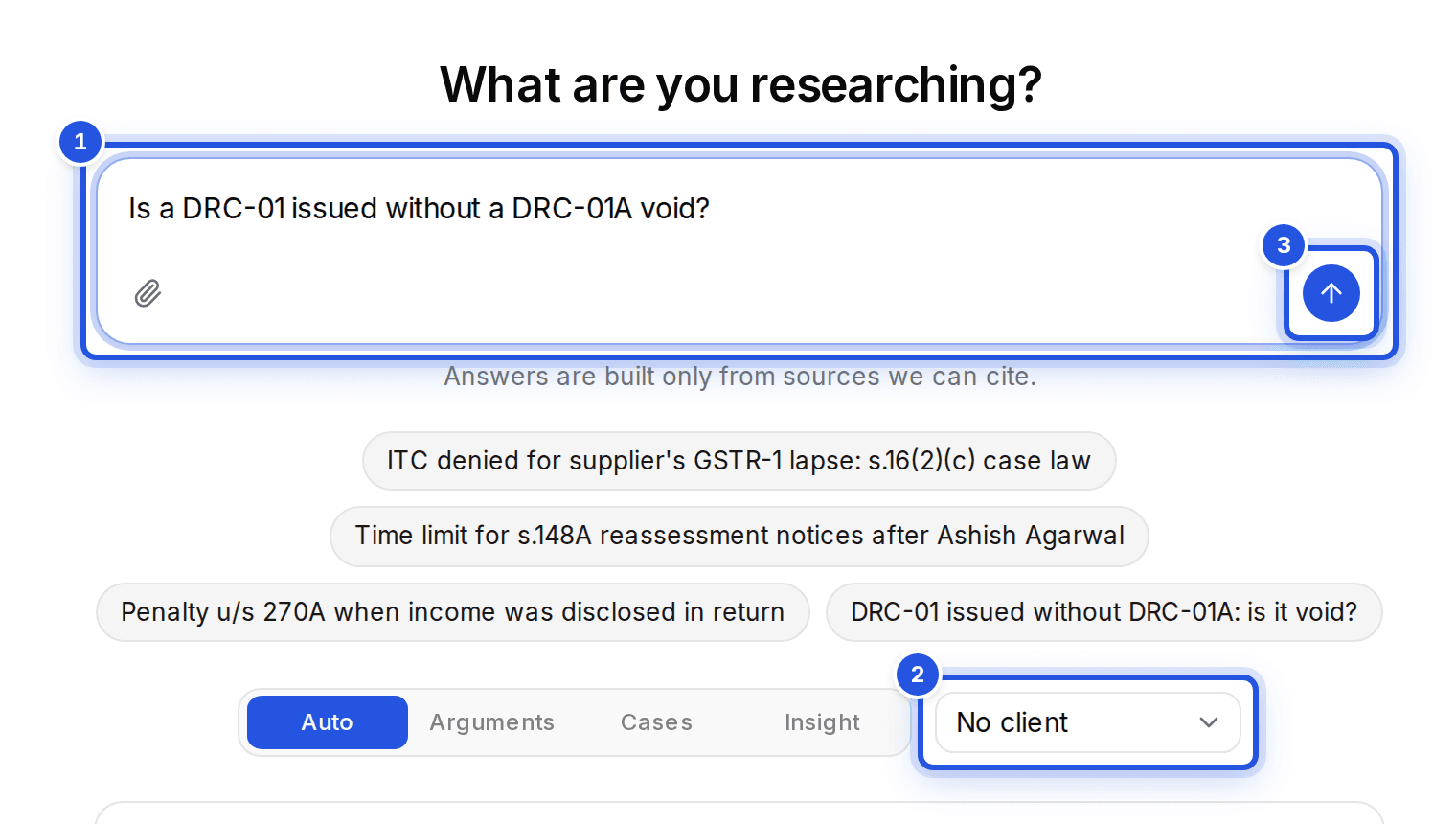
Open Research, type your question in What are you researching? and choose Search case law. Answers are built only from sources we can cite.
Updated 29 Sept 2026
Steps
- Step 1: Open Research from the sidebar.
- Step 2: Type your question in What are you researching?. Name the section, the issue or the notice, in plain words.
- Step 3: Pick a Client if the question is for one, so it is filed with them.
- Step 4: Choose Search case law, or press Enter.
Research modes
Under the box you can pick Auto, Arguments, Cases or Insight. Auto works out the best mode from your question. Picking another mode runs the same question again in that mode.
Good questions are specific: the section, the form, the period and what went wrong. For example, whether a DRC-01 issued without a DRC-01A is void.
Was this helpful?
Still stuck? Write to support and we will get back to you. Contact support