
How do I add a client?
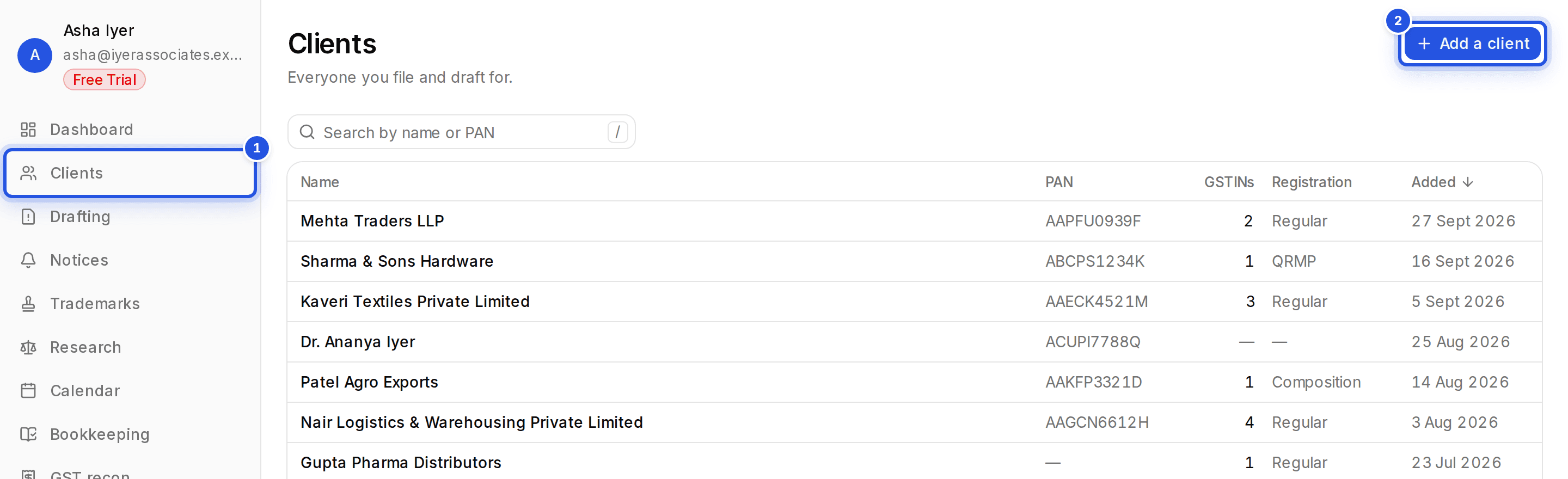
Open Clients, choose Add a client, fill in the name, PAN and GSTINs, set the compliance profile and choose Create client. PAN and GSTIN are checked as you type.
Updated 29 Sept 2026
Steps
- Step 1: Open Clients and choose Add a client.
- Step 2: Enter the Client name, PAN and each GSTIN on its own line. PAN is filled in from the first GSTIN if you leave it blank.
- Step 3: Pick the Registration type and Entity type.
- Step 4: Add a contact and billing address if you have them.
- Step 5: Set the Compliance profile, then choose Create client.
Was this helpful?
Still stuck? Write to support and we will get back to you. Contact support