
Where do the due dates on my calendar come from?
Statutory due dates come from each client's compliance profile: entity type, GST registration, TDS, tax audit and the rest. Notice deadlines come from the notices you add.
Updated 29 Sept 2026
How the calendar fills
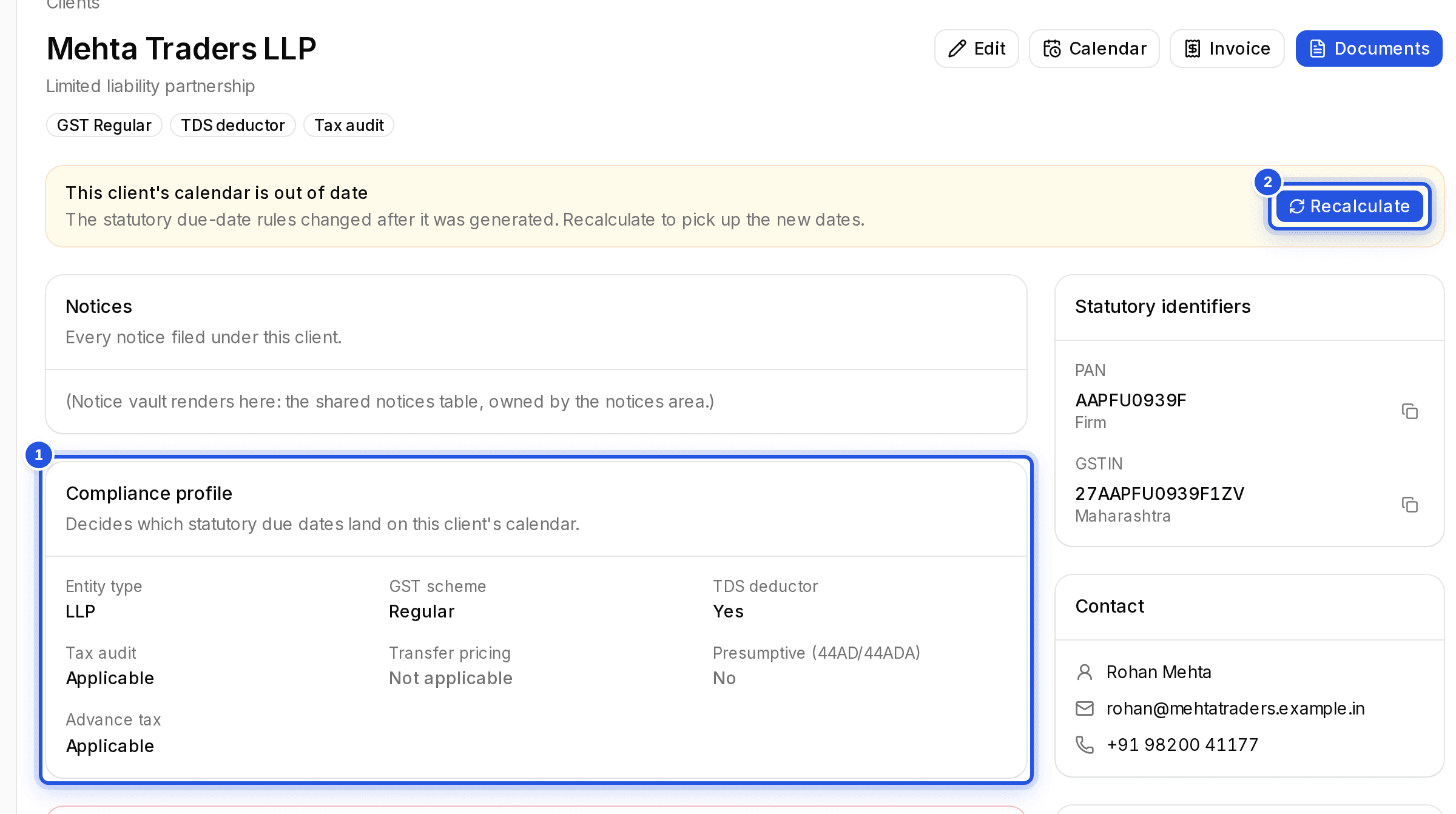
When you add a client, their Compliance profile decides which statutory dates land on the calendar. For example, TDS deductor adds the monthly challan and quarterly return dates, and Advance tax applicable adds the instalment dates.
Every notice with a Response deadline shows on the calendar too.
When the rules change
If the due-date rules change after a client's calendar was made, their page says This client's calendar is out of date. Choose Recalculate to pick up the new dates.
Was this helpful?
Still stuck? Write to support and we will get back to you. Contact support