
How do I set reminders?
In Settings, Notifications, turn on the daily digest and pick how many days before each due date you want a reminder email.
Updated 29 Sept 2026
Steps
- Step 1: Open Settings, then Notifications.
- Step 2: Turn on Email me a daily digest of upcoming deadlines.
- Step 3: Under Remind me before each due date, pick the days: 30, 14, 7, 3 or 1 day before, or On the day.
- Step 4: Choose Save changes.
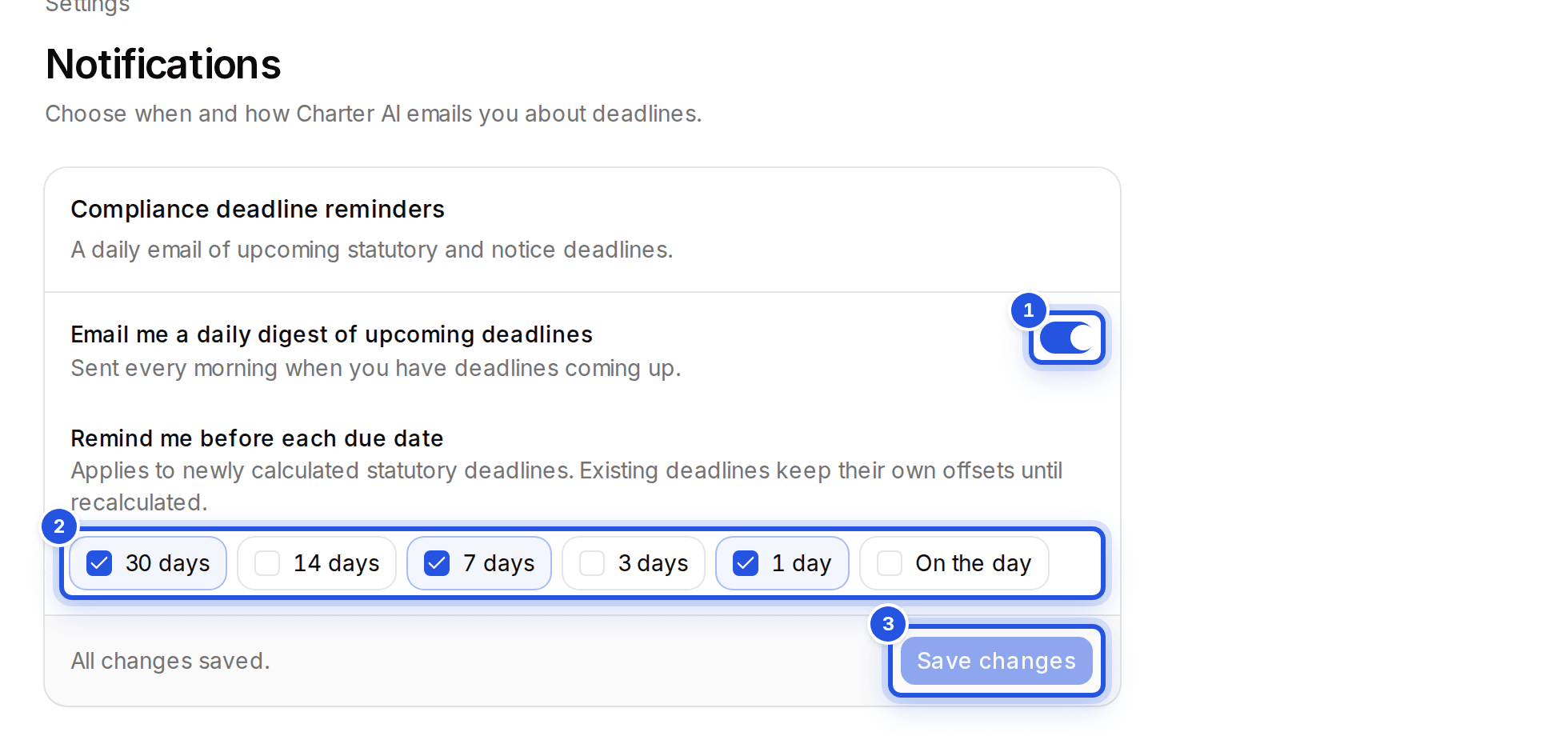
Choose Send test digest to get today's real digest now, if you have deadlines due.
Deadlines you already have
New settings apply to newly calculated deadlines. Existing ones keep their own reminders until the client's calendar is recalculated. For your own events, choose the reminders when you add them.
Was this helpful?
Still stuck? Write to support and we will get back to you. Contact support