
How do I add my own deadline?
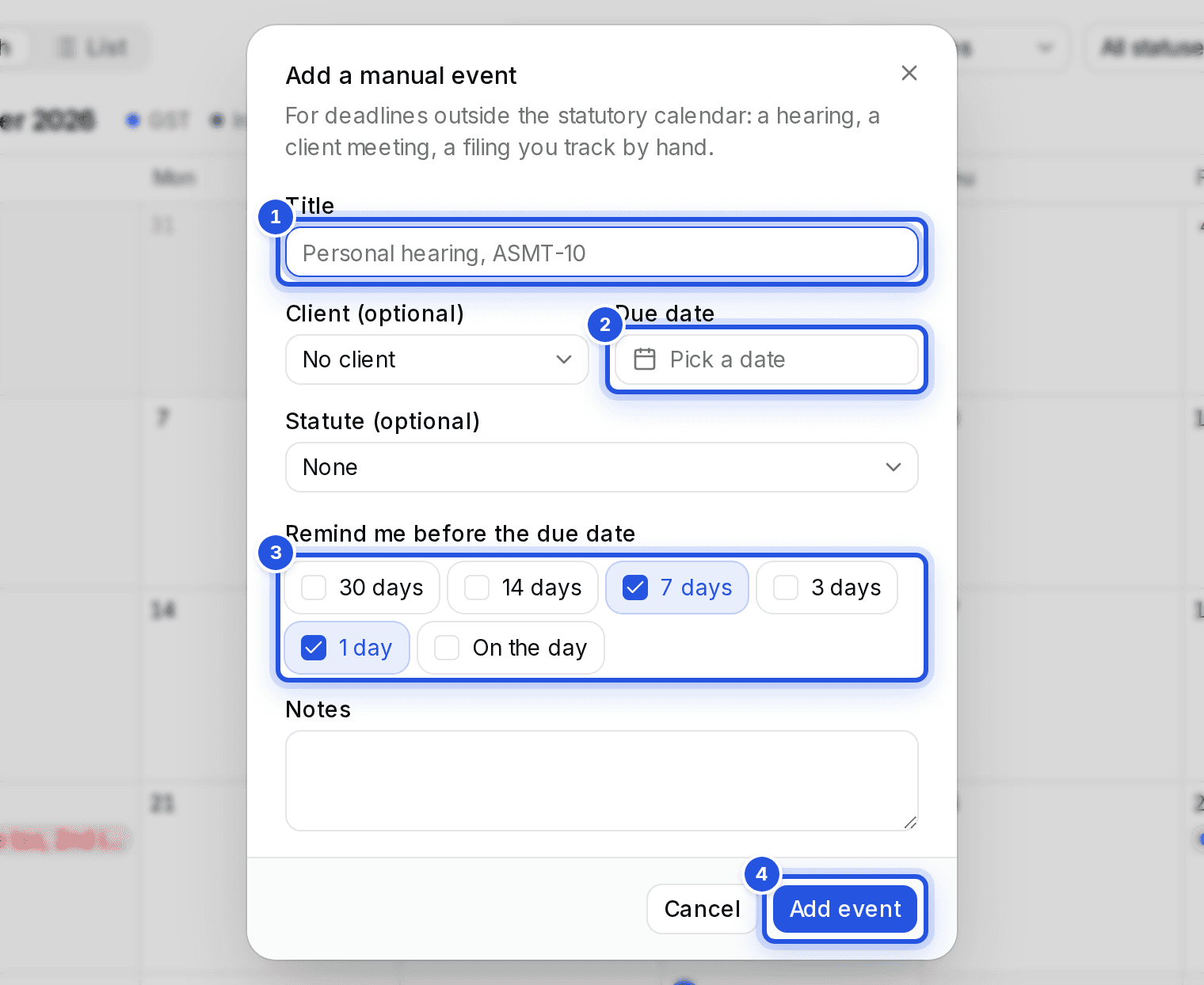
Choose Add event on the Calendar for anything outside the statutory calendar: a hearing, a client meeting or a filing you track by hand.
Updated 29 Sept 2026
Steps
- Step 1: Open Calendar and choose Add event.
- Step 2: Give it a title, for example a personal hearing.
- Step 3: Pick a Client (optional), a Due date and a Statute (optional).
- Step 4: Under Remind me before the due date, pick when you want reminders.
- Step 5: Choose Add event to save it.
Was this helpful?
Still stuck? Write to support and we will get back to you. Contact support