
How do I find a notice, and what does triage mean?
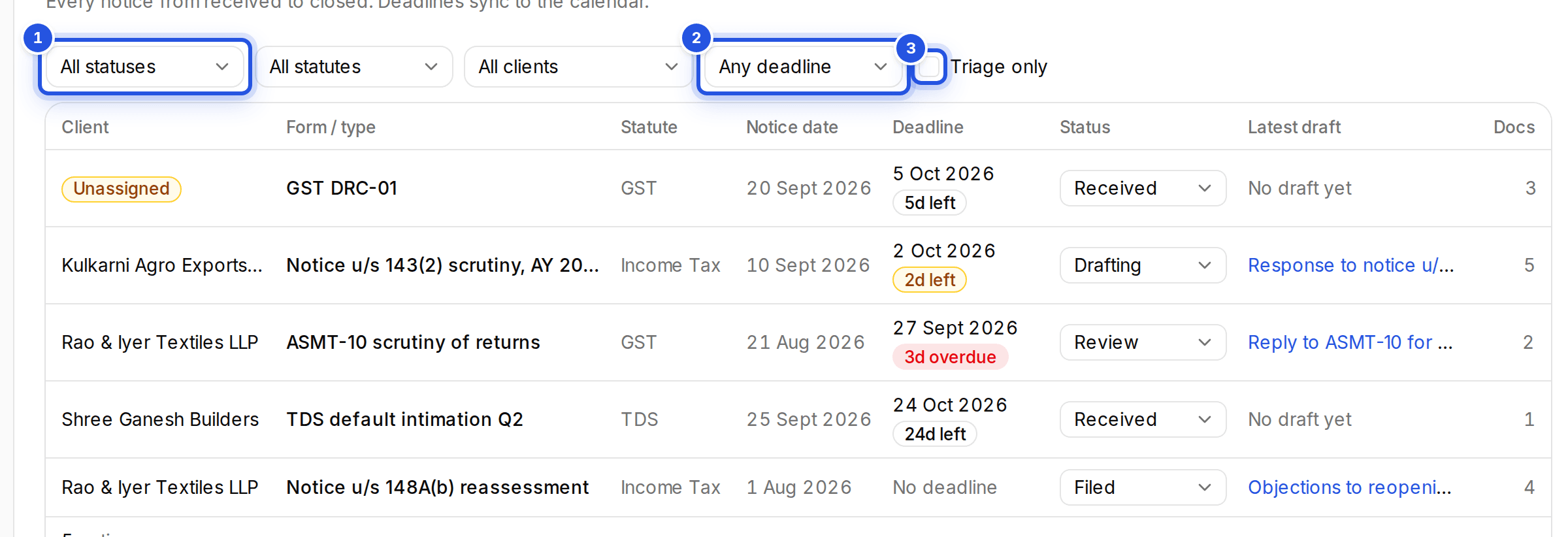
Filter the Notices list by status, statute, client or deadline. A notice with no client yet is in triage; assign a client to take it out.
Updated 29 Sept 2026
Filters
- All statuses, All statutes and All clients narrow the list.
- Any deadline lets you pick Due in 7 days or Due in 30 days.
- Clear filters shows everything again.
- Use the arrow keys to move between rows and Enter to open one.
Triage
A notice uploaded without a client is in triage. Turn on Triage only to see them, open one and choose a client under Assign client.
Was this helpful?
Still stuck? Write to support and we will get back to you. Contact support