
What should I do first after signing up?
Add a client, then start a draft or ask a research question. The Get started with Charter AI checklist on your Dashboard walks you through the rest.
Updated 29 Sept 2026
A good first half hour
- Step 1: Open Clients and choose Add a client. Fill in the name, PAN and GSTIN, then Create client.
- Step 2: Open Drafting and choose Upload notice or past replies to draft a reply to a real notice.
- Step 3: Open Research and ask a question you are working on this week.
- Step 4: Open Settings, then Notifications, and choose when deadline reminders reach you.
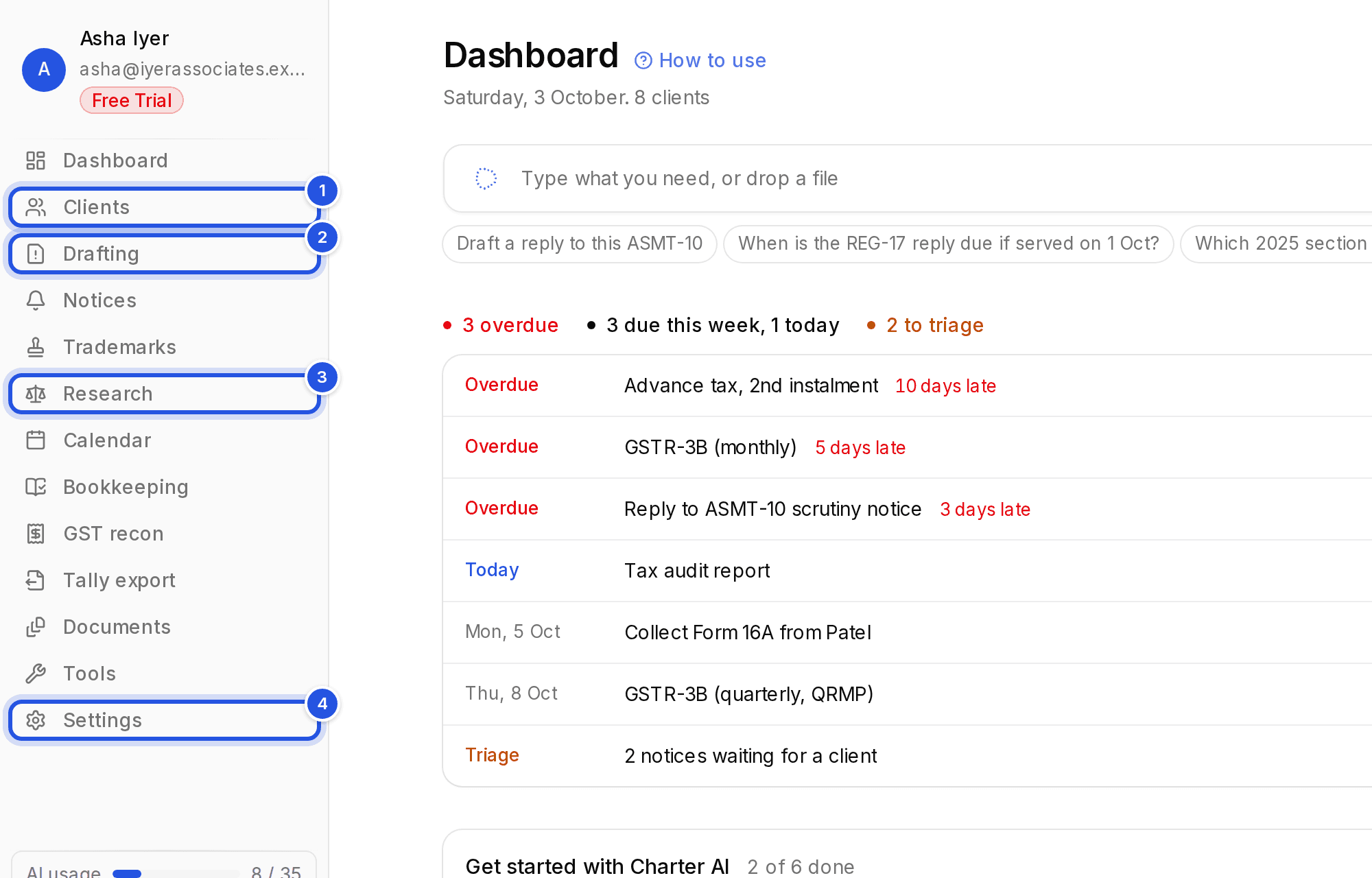
The Get started with Charter AI card on your Dashboard ticks each step off as you do it. You can dismiss it and bring it back from Settings.
Was this helpful?
Still stuck? Write to support and we will get back to you. Contact support