
Where can I see my usage and payments?
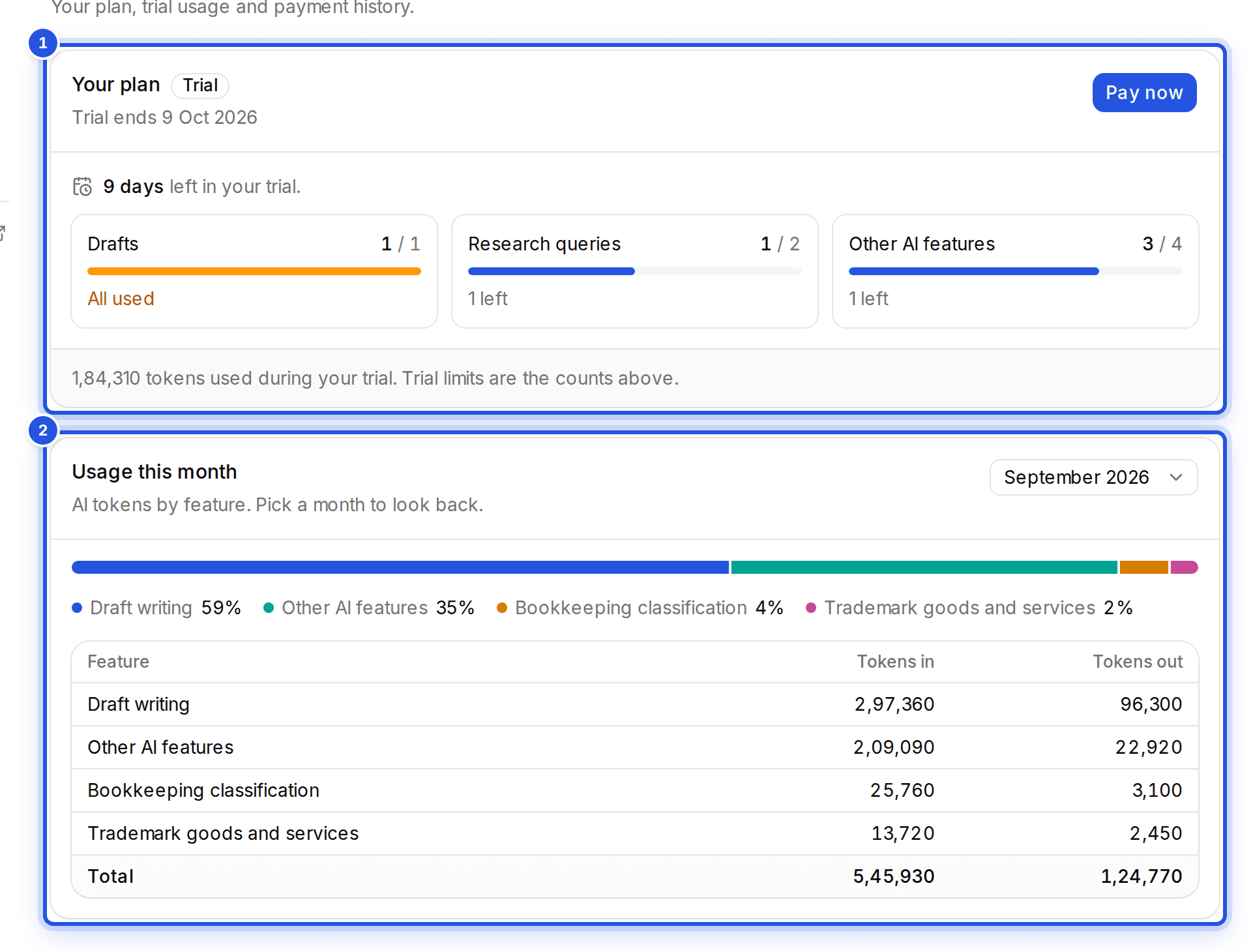
Settings, Billing shows your plan, usage this month by feature and your last payment. The AI usage meter at the bottom of the sidebar shows where you stand at a glance.
Updated 29 Sept 2026
Where to look
- Your plan: status, renewal date and last payment.
- Usage this month: AI use by feature. Pick a month to look back.
- The AI usage meter at the bottom of the sidebar.
Running low? Where add-on packs are offered, Buy add-on tops you up without changing your plan.
Was this helpful?
Still stuck? Write to support and we will get back to you. Contact support