
How do I reply to a trademark objection?
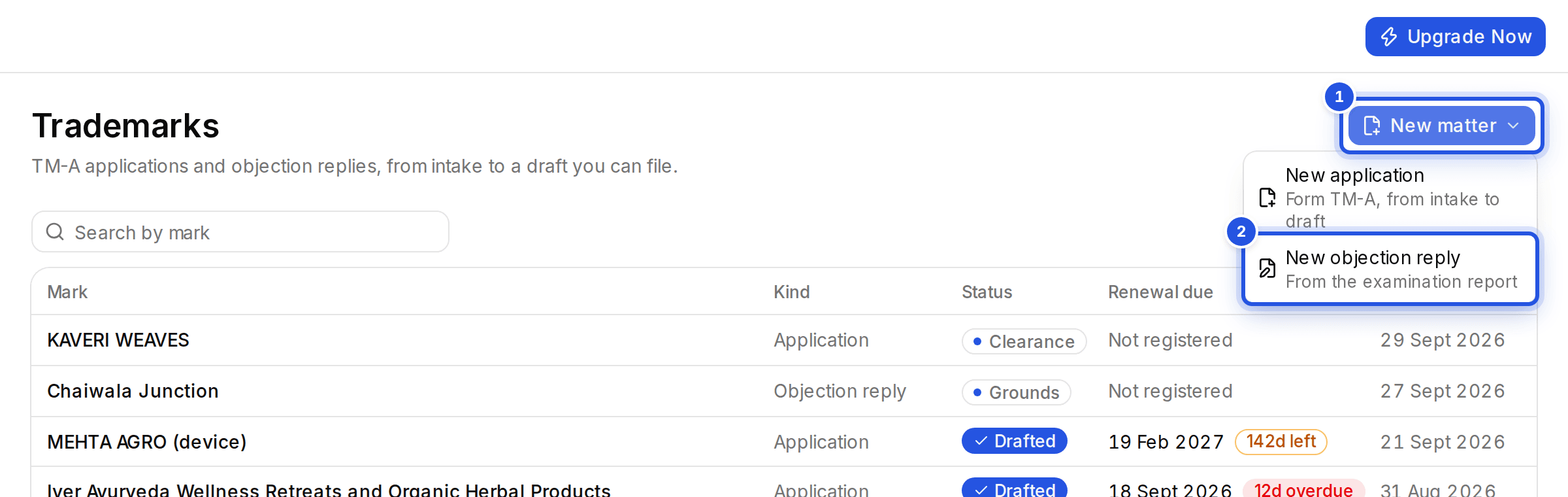
Choose New matter, then New objection reply. Upload the examination report, extract the grounds, run research and generate the reply.
Updated 29 Sept 2026
Steps
- Step 1: Open Trademarks, choose New matter and then New objection reply.
- Step 2: Upload: add the examination report PDF, up to 30 MB. Optionally link an application you already have under Reuse an application's intake.
- Step 3: Grounds: choose Extract grounds. Correct the ground type or remove one before continuing.
- Step 4: Research: choose Run research for the sections and cases the reply will cite.
- Step 5: Draft: choose Generate objection reply, then Open in editor.
Was this helpful?
Still stuck? Write to support and we will get back to you. Contact support