
How do I tag, move or delete documents?
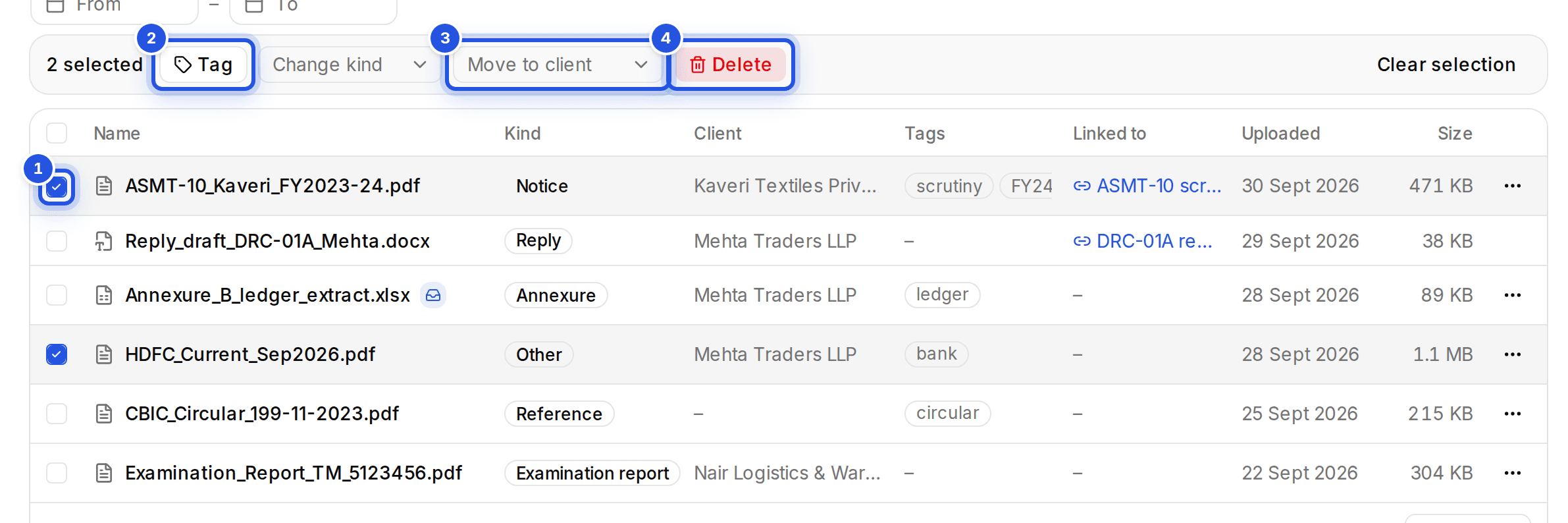
Select files in Documents to see the actions: tags, Change kind, Move to client and delete. A deleted file can be brought back with Undo.
Updated 29 Sept 2026
Steps
- Step 1: Tick the files you want, or Select all documents.
- Step 2: Type a tag and press Enter, then Save tags. Saving replaces the selected files' tags.
- Step 3: Or choose Change kind or Move to client.
- Step 4: To delete, use the delete action. Choose Undo in the message that appears if you change your mind.
Was this helpful?
Still stuck? Write to support and we will get back to you. Contact support