
Gstr2a and Gstr2b Difference
Understand the gstr2a and gstr2b difference, including data sources, timing, ITC reconciliation, audit evidence, and practical use cases.
Published 16 min read
You're preparing the GST working papers, and a purchase invoice is sitting in the ledger with its tax amount correctly recorded. Yet the invoice is missing from the ITC statement you downloaded. When someone checks again later, the supplier record looks different. Before deciding whether to claim, hold, or investigate the credit, you need to establish whether you're comparing the same period and the same kind of statement.
Table of Contents
- Why the GSTR-2A and GSTR-2B Difference Matters
- The problem is the comparison date
- Understanding the Common GST Statement Purpose
- Keep accounting records and GST statements separate
- Understand whose information you're reviewing
- Comparing GSTR-2A and GSTR-2B by Data and Timing
- What the timing gap means
- What static and read-only don't establish
- Selecting the Right GST Statement for Each Reconciliation
- Establish the period before matching
- Don't let the tool choose the conclusion
- Handling ITC Matches and Mismatches
- Matched documents still need a decision
- Missing documents need directional labels
- Amount and identity differences need different treatment
- Choosing Each Statement for Common GST Workflows
- Routine review and return preparation
- A later appearance doesn't rewrite an earlier review
- Preserving Audit Evidence for ITC Decisions
- Build a traceable exception file
- Preserve reasoning as well as documents
Why the GSTR-2A and GSTR-2B Difference Matters
Consider a typical reconciliation exception. Your accounts team has booked a supplier invoice, the supporting document is available, and the entry has reached the input tax ledger. The reviewer marks it as missing from the statement used for return preparation.
Later, a colleague finds the invoice in another GST download and removes the exception. That may look like progress, but the team hasn't necessarily answered the original question: was that invoice reflected in the relevant statement for the period being reviewed?
The problem is the comparison date
The practical GSTR-2A and GSTR-2B difference is about the timing of the information you're examining, not just the names on the download. A later supplier record and an earlier period-specific statement can support different observations without either download being wrong.
The purchase-ledger discrepancy is the starting point for investigation.
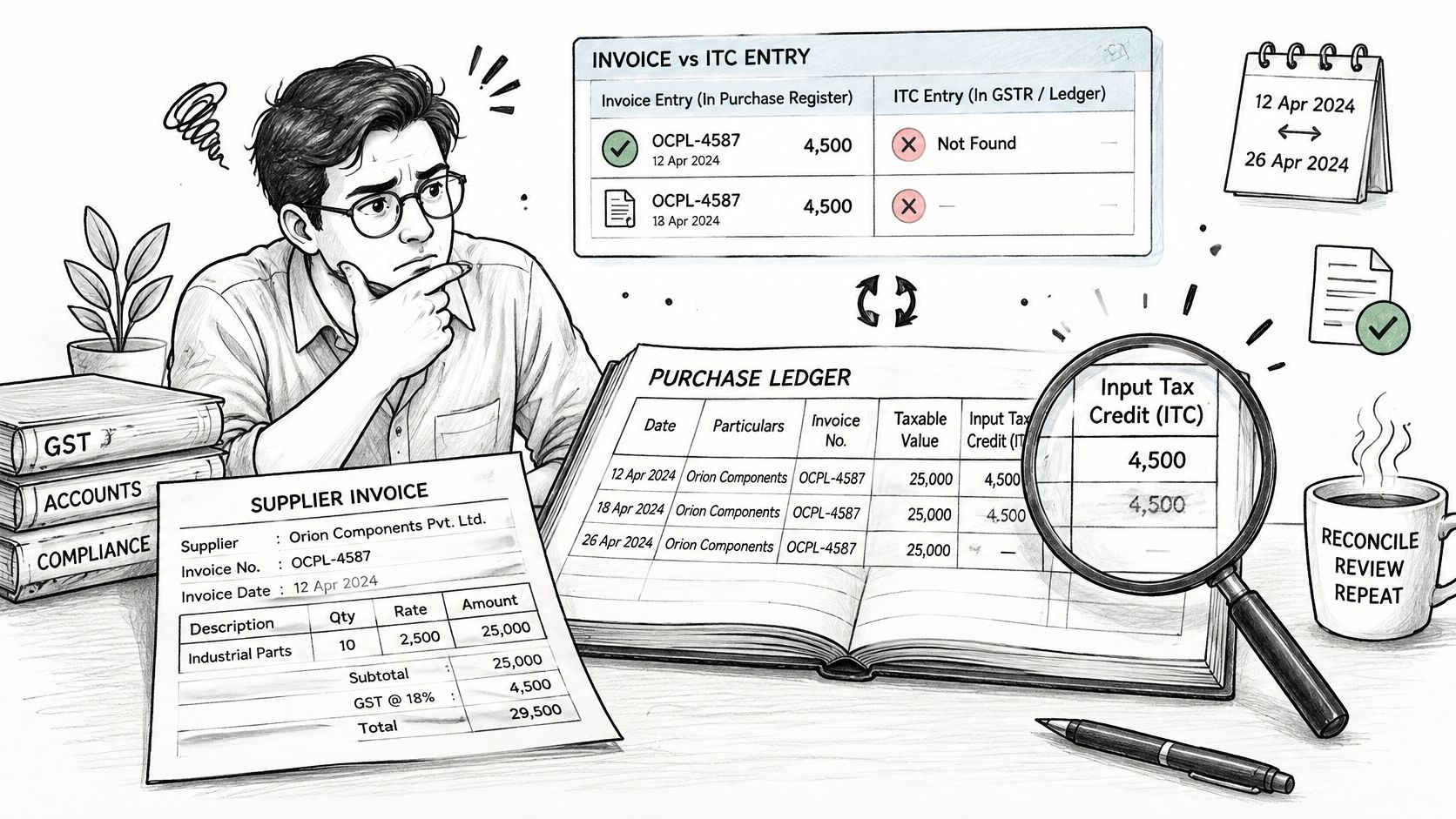
A useful working paper separates the question being asked from the document used to answer it:
| Review question | Working-paper focus |
|---|---|
| What did the business record? | Purchase invoice and ledger entry |
| What has the supplier reported? | Supplier-facing exception investigation |
| What statement supports this period's review? | Correct period-specific download |
| What position did the recipient take? | Reviewed computation and filed return record |
Without that separation, staff may replace an unresolved exception with a current screenshot and assume the original period is explained. The screenshot might explain a subsequent development, but it doesn't document the earlier decision.
Practical rule: Don't close an ITC exception merely because an invoice is visible today. Record where it appears, which period you reviewed, and what changed.
The decision isn't merely whether an invoice exists. You need to decide whether the apparent difference concerns timing, transaction details, accounting treatment, or the proposed return position. Keeping those questions separate makes supplier follow-up more precise and prevents a later download from quietly rewriting an earlier reconciliation.
Understanding the Common GST Statement Purpose
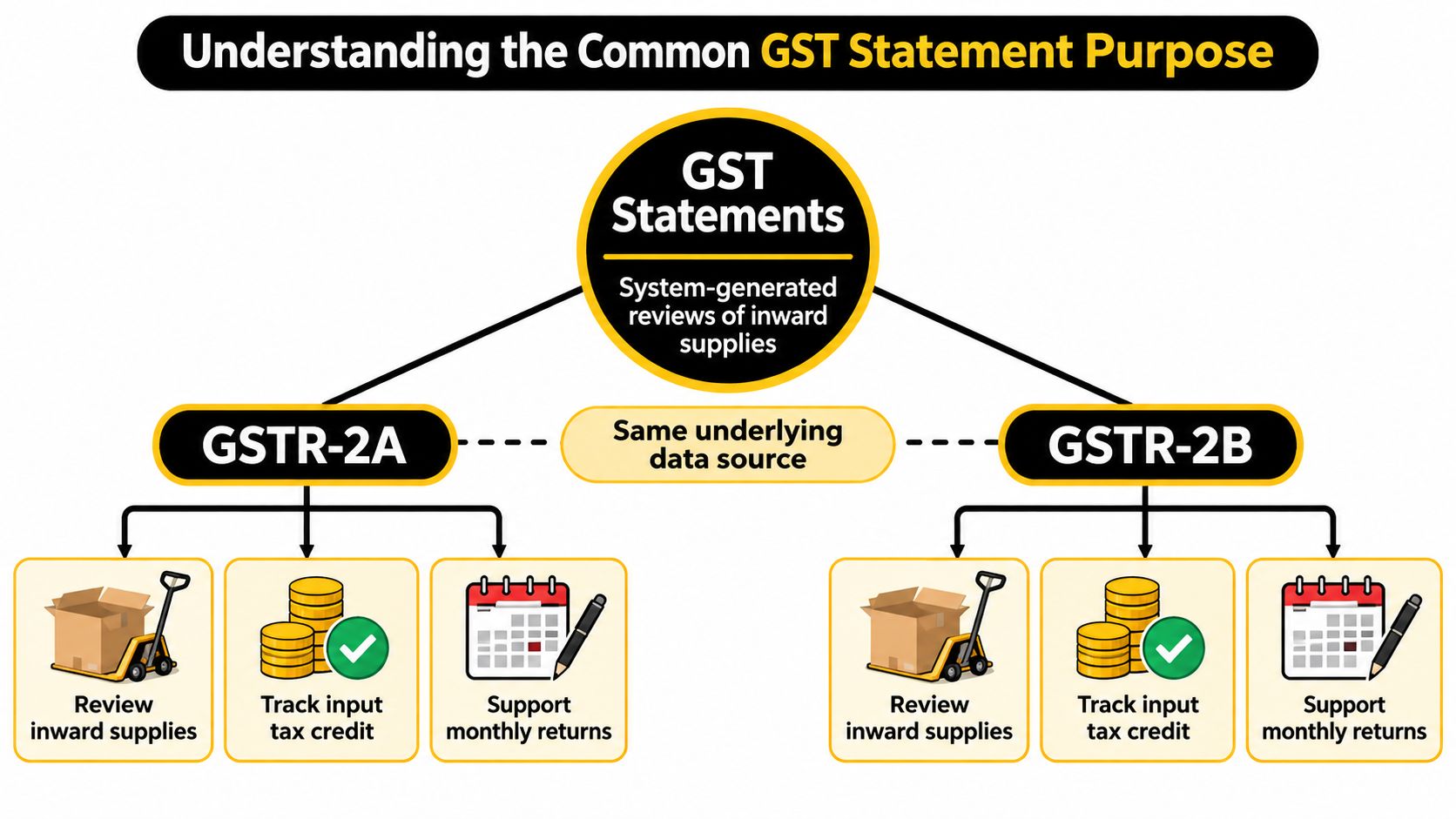
GSTR-2A and GSTR-2B are system-generated statements used by Indian GST taxpayers to review inward supplies and input tax credit. Neither is a return filed by the recipient. This shared purpose explains why teams use both during purchase-side reconciliation, even though their timing functions differ.
The common-purpose view is useful before assigning either statement a role in your working papers.
Keep accounting records and GST statements separate
Your purchase register records what the business has booked. The GST statements provide a view of reported inward-supply information. The recipient's reviewed tax position belongs in the return-preparation working papers and filed return record.
Treat these as connected records, not interchangeable evidence:
- Purchase documentation: Use the invoice and supporting business records to establish what your team is reviewing.
- Accounting treatment: Locate the expense, asset, creditor, and input tax entries relevant to that document.
- Statement information: Compare the reported transaction with the books and identify exceptions.
- Return decision: Document the treatment adopted after reviewing the supporting evidence and applicable requirements.
This distinction matters when an invoice is present in the books but absent from a statement, or present in a statement but unrecognised by the accounts team. Neither situation should lead to an automatic ledger adjustment.
Understand whose information you're reviewing
Supplier-reported information forms part of the statement environment. Input Service Distributor, or ISD, information also matters where relevant, so the reviewer should identify the document's origin before treating every exception as an ordinary supplier invoice issue.
A useful reconciliation file therefore includes a document-type field, not just an invoice number and tax amount. That lets the reviewer route a supplier discrepancy to the vendor team while sending an ISD-related query to the appropriate internal contact.
The central discipline is simple: a statement supports review; it doesn't replace the underlying transaction file. Keep the invoice, accounting record, statement observation, and return conclusion distinguishable so another reviewer can follow the reasoning without reconstructing it from emails.
Comparing GSTR-2A and GSTR-2B by Data and Timing
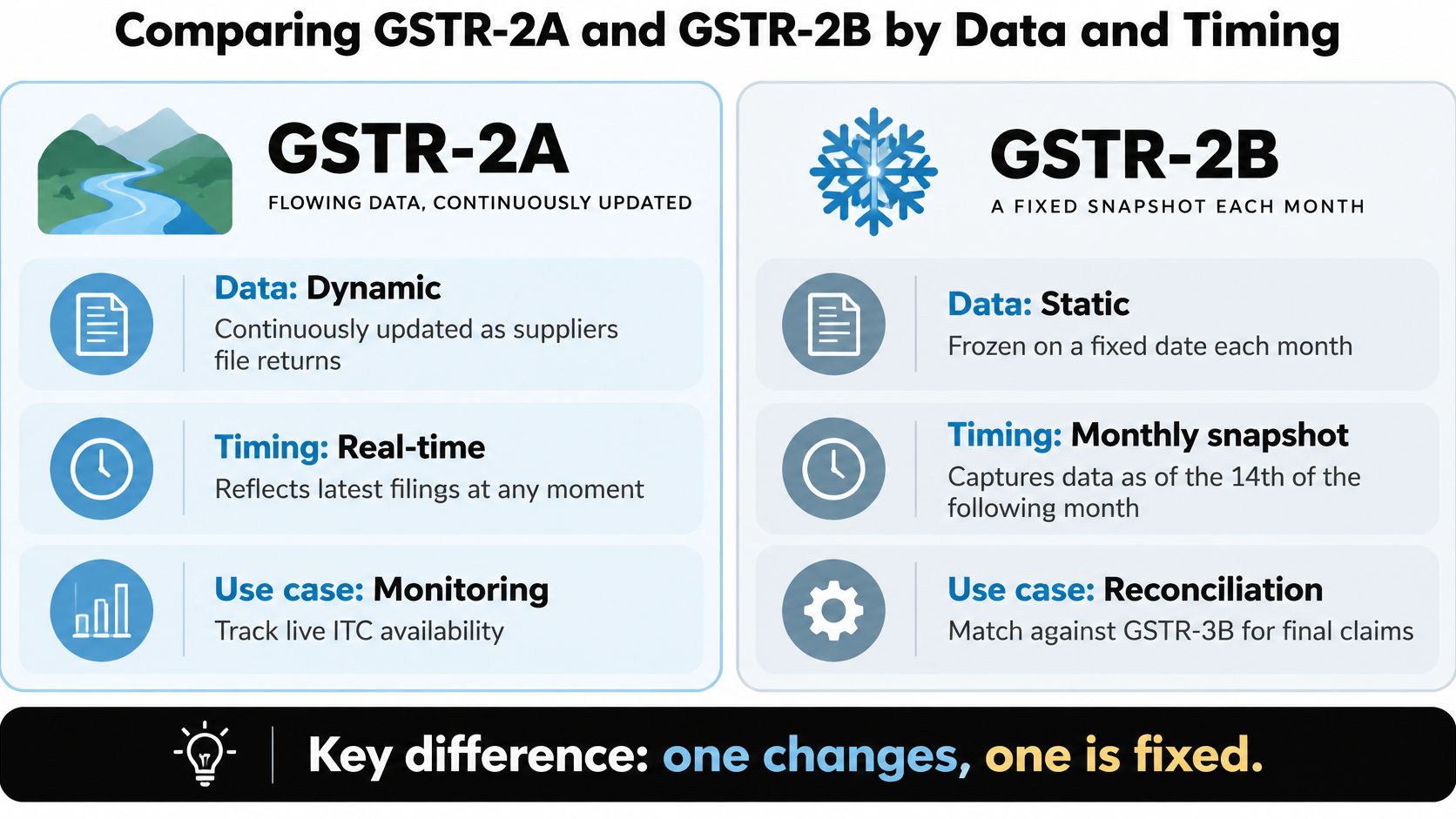
GSTR-2A is dynamic and continuously updated, while GSTR-2B is static and period-specific. Supplier filings and amendments can change the GSTR-2A view; GSTR-2B provides a fixed reference for the relevant statement period.
GSTR-2A and GSTR-2B at a glance
| Comparison criterion | GSTR-2A | GSTR-2B |
|---|---|---|
| Generation basis | Evolving supplier-reported record | Period-specific ITC statement |
| Supplier inputs | Relevant supplier returns, including GSTR-1, and amendments | GSTR-1/1A and GSTR-5, together with ISD information in GSTR-6 |
| Update behaviour | Continuously updated as relevant information is reported or amended | Static for the statement period |
| Period relevance | Useful for examining subsequent reporting developments | Useful for evaluating the selected period's ITC dataset |
| Recipient filing role | System-generated statement, not a recipient-filed return | Read-only statement, not a recipient-filed return |
| Practical use | Supplier monitoring and amendment investigation | Repeatable reconciliation and GSTR-3B preparation |
The generation schedule is equally important. The GST Portal's advisory states that GSTR-2B is generated on the 14th day of the succeeding month; for quarterly taxpayers, the equivalent schedule is the 14th day of the month following the quarter, as described in the official GSTR-2B guidance on statement generation, data sources, and read-only access. That guidance supports the statement characteristics summarised above.
What the timing gap means
An invoice date, its booking period, the supplier's reporting activity, and the statement period are different reference points. A reconciliation should record them separately rather than assigning the whole transaction to whichever month appears most prominently on screen.
For example, a reviewer investigating a later supplier filing should inspect the relevant statement records rather than assume that the invoice's original date determines where it must appear. The purpose is to trace the reporting sequence, not force the portal information into the purchase register's chronology.
The visual comparison highlights the difference between an evolving record and a fixed reference.
What static and read-only don't establish
Static doesn't mean independently verified, and read-only doesn't mean the recipient can skip transaction review. Those descriptions explain the statement's design, not whether every reported document supports the treatment proposed in the return.
Likewise, continuously updated shouldn't be interpreted as a guarantee of instantaneous visibility after every supplier action. Check the actual record and preserve the observation rather than relying on a presumed update time.
Use the accompanying video as supplementary context, while keeping the selected statement and your own reconciliation as the working references.
The trade-off is operational. GSTR-2A helps investigate developments, but a fresh download can complicate reproduction of an earlier review. GSTR-2B provides a stable comparison base, but it doesn't, by itself, explain every subsequent supplier action.
Selecting the Right GST Statement for Each Reconciliation
Start by writing the reconciliation objective at the top of the working paper. “Review purchase ITC” is too broad. “Reconcile the selected statement period to the purchase register and explain outstanding exceptions” gives the preparer and reviewer a defined task.
Establish the period before matching
Identify the recipient's return period and applicable filing frequency. Separately note the supplier's filing context where it matters to an exception. Don't assume that the buyer's reporting cycle, the supplier's reporting activity, and the invoice booking period are identical.
The selection process should precede the invoice-matching exercise.
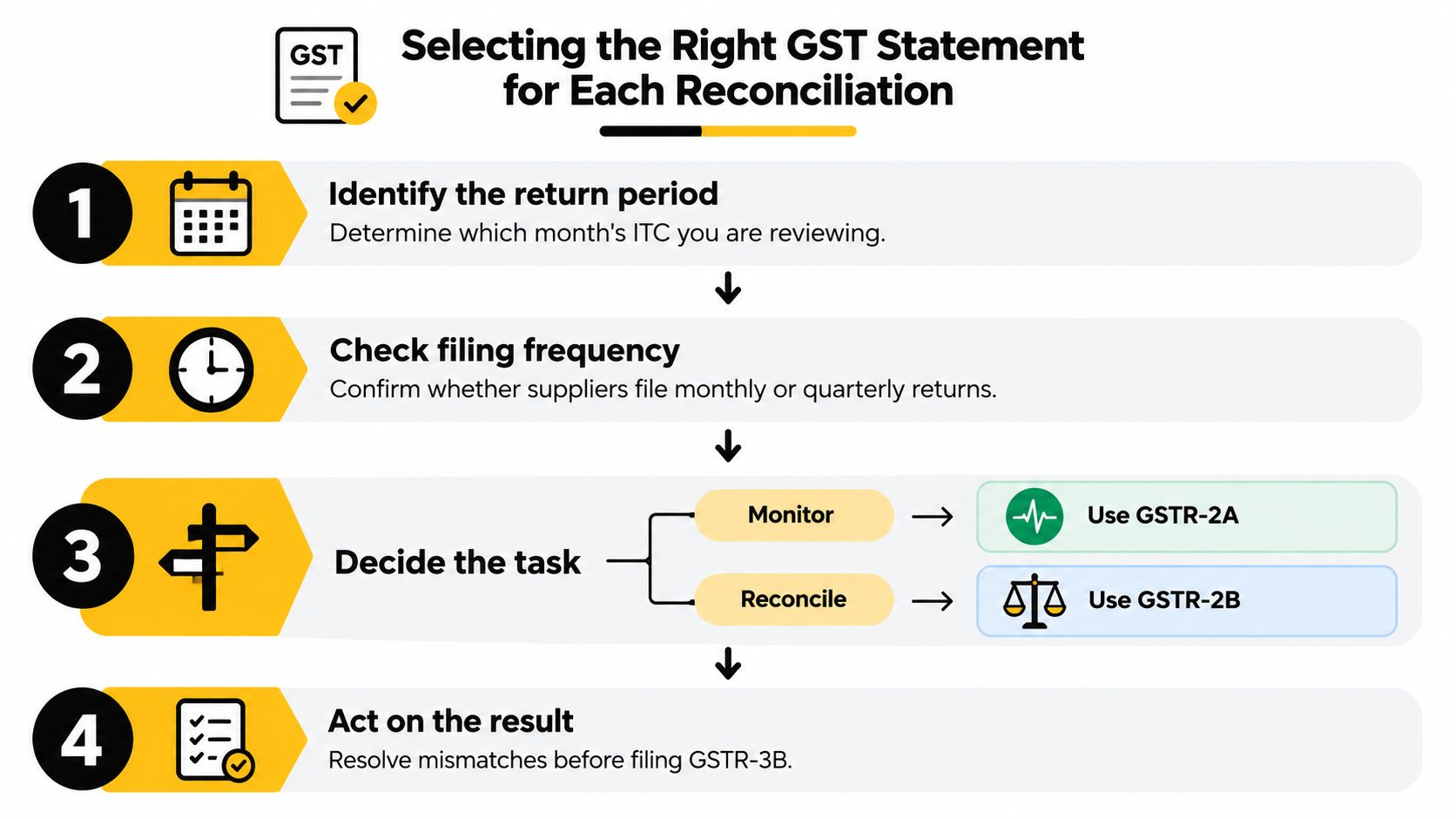
For a period-specific return review, use the relevant GSTR-2B as the statement comparison base. For a supplier-follow-up exercise, use GSTR-2A to investigate the evolving record. Keep the investigation output separate from the return computation until a reviewer has assessed its implications.
A practical selection checklist is:
- Confirm the registration: Check that the statement and purchase records relate to the same recipient GSTIN.
- Label the period: Record the statement period independently of invoice dates and accounting periods.
- Record the download date: Preserve when the team obtained the information, particularly for an evolving record.
- Define the task: Distinguish supplier monitoring from period-specific return preparation.
- Identify the ledger scope: State which purchase register extract and input tax accounts are included.
- Retain unresolved items: Give each exception an owner and a documented next action.
Don't let the tool choose the conclusion
Whether you work in Excel, export purchase records from TallyPrime, or use reconciliation software, inspect the period filters before accepting the result. A clean match report is unhelpful if the underlying files cover different scopes.
Keep the original extracts unchanged and perform matching in a separate working file. If you standardise invoice-number formatting for comparison, retain the original value alongside the normalised field so the reviewer can inspect what the supplier and recipient recorded.
Choose the statement according to the question. Then verify that the files answer that question before interpreting the match result.
Finally, compare the proposed return treatment with the tax-ledger working and the filed-return record where relevant. A completed statement match isn't the same as a completed return review. The reviewer should be able to identify what was accepted, what remains unresolved, and what accounting or return action was approved.
Handling ITC Matches and Mismatches
A match status is a routing decision, not a final tax conclusion. It tells the team which documents need attention and what kind of investigation to begin.
Matched documents still need a decision
Suppose the purchase register and the selected statement agree on the supplier, invoice reference, taxable value, and tax components. Mark the reporting comparison as matched, but keep the entitlement review distinct.
Check the supporting invoice, the transaction's accounting treatment, and the applicable conditions before approving the proposed credit. A matching tax amount doesn't establish that the expense was classified correctly or that the same document hasn't already been dealt with elsewhere in the working papers.
A useful status description is matched, pending review rather than eligible. It prevents staff from treating a software output as approval.
Missing documents need directional labels
“Missing” is incomplete unless the working paper says where the document is missing.
| Exception | Investigation to perform |
|---|---|
| In books, absent from the selected statement | Check period selection, supplier reporting, and later developments |
| In statement, absent from books | Ask the accounts team to identify the underlying transaction |
| Seen in a later supplier record, absent from the reviewed statement | Trace the timing and preserve both observations |
| Related to ISD information | Route the document through the relevant distribution records |
For an invoice in the books but absent from the selected statement, don't begin by changing the ledger. First verify the document reference and recipient details, then seek evidence of the supplier's reporting action where necessary.
For an unfamiliar statement entry, avoid booking a purchase merely to eliminate the difference. Ask for the invoice and establish whether the transaction belongs to the recipient's records.
Amount and identity differences need different treatment
A formatting difference in an invoice reference requires a different investigation from a tax-value discrepancy. Preserve the original fields, document any matching adjustment, and don't use an unexplained tolerance to dismiss a substantive tax difference.
Supplier amendments also require continuity. Link the original observation to the changed record rather than deleting the exception and starting again. That lets the reviewer distinguish an explained amendment from an unrelated document that happens to carry a similar amount.
Review discipline: Resolve the cause of a mismatch before deciding its tax treatment. A plausible explanation isn't the same as supporting evidence.
For GSTR-3B preparation, record the proposed action against each unresolved item, such as holding it for review, correcting the books, or assessing a return adjustment under the applicable requirements. Don't turn “present” and “absent” into universal rules for entitlement.
If the matter involves a formal communication rather than routine reconciliation, consult the GST ITC mismatch intimation guidance for Rule 88D and DRC-01C. Keep that response file connected to the transaction-level explanation instead of relying only on a summary difference.
Choosing Each Statement for Common GST Workflows
Routine supplier follow-up and return preparation shouldn't use the same closure test. The supplier team needs to establish what was reported or corrected. The return reviewer needs a documented position for the selected period.
Routine review and return preparation
During routine monitoring, use the supplier record to maintain an actionable follow-up list. Ask the supplier to address the specific invoice reference or discrepancy rather than send a general request to “update GST”.
For return preparation, work from the selected period's reconciliation and freeze the reviewed version. Transfer unresolved matters to an exception schedule instead of repeatedly replacing the main dataset while the return computation is under review.
For monthly filing work, consult the GSTR-3B monthly due-date guidance separately from the reconciliation file. Statement availability and the filing deadline are different planning inputs.
The operational distinction can be expressed as follows:
- Supplier monitoring: Close the follow-up only when the reporting action is supported and the remaining question is identified.
- Return preparation: Close the review only when the approved treatment and supporting computation are recorded.
- Quarterly review: Define the quarter's scope and retain visibility of the underlying booking periods.
- Post-period inquiry: Reconstruct the earlier decision before considering subsequent developments.
A later appearance doesn't rewrite an earlier review
Consider an illustrative invoice that was booked before the team completed its return working papers but wasn't found in the selected statement. The preparer records an open exception and requests clarification from the supplier.
During a later review, the invoice is visible in GSTR-2A. The appropriate response is to update the exception history with the new observation and supporting supplier correspondence, not replace the earlier note with “matched”.
The reviewer then checks the relevant GSTR-2B records and determines the treatment under the applicable requirements. The later observation helps explain the supplier's reporting history; it doesn't independently establish what the recipient should have done at the earlier review point.
A quarterly workflow needs the same discipline. Keep invoice booking dates visible within the quarter-level reconciliation so the reviewer can distinguish accounting timing from statement selection.
For a post-period inquiry, begin with the archived working papers, not a fresh portal search. Use current information to explain subsequent events, while retaining the earlier evidence as the basis for understanding the original decision.
Preserving Audit Evidence for ITC Decisions
Preserve the basis of the decision, not just the final match report. Another reviewer should be able to trace an invoice from the purchase record through the statement comparison to the approved treatment without relying on the preparer's memory.
Build a traceable exception file
Keep the following records together or connect them through a consistent document reference:
- Statement evidence: Original download, statement period, recipient GSTIN, and download date.
- Transaction support: Purchase invoice, relevant supporting documents, and the ledger entry.
- Investigation history: Supplier correspondence, amendment observations, and unresolved questions.
- Decision record: Reviewer approval and reasons for accepting, holding, rejecting, or correcting the item.
- Return connection: The working-paper reference showing how the approved treatment reached the return computation.
Keep later GSTR-2A observations alongside, rather than over, the earlier download. Retain the relevant GSTR-2B file as the period reference used in the review. A screenshot may supplement that record, but shouldn't be the only evidence where the underlying download is available.
Preserve reasoning as well as documents
Write exception notes that explain the issue, evidence examined, conclusion, and next action. “Checked and cleared” doesn't tell a subsequent reviewer why the treatment was reasonable.
For matters requiring a formal response, the GST scrutiny guidance for section 61 and ASMT-10 provides a separate reference point for organising the response work.
The defensible approach gives each record a defined purpose: investigate supplier developments, review the selected statement period, verify the transaction, and preserve the approved decision. Neither statement can substitute for that complete trail.
For teams choosing between spreadsheet-led review and an integrated workspace, Charter AI offers GST reconciliation with matched, missing, and mismatch classification, alongside source-linked research and tax drafting. Visit the platform to assess how its client workspace could help your firm connect purchase records, statement exceptions, and supporting evidence in a single review workflow.
Tags
Related guides
- How do I reconcile GSTR-2B against my purchase register step by step?
- Why does my GSTR-2B not match my purchase register: what are the common root causes?
- My invoice number format doesn't match what the supplier filed: will Tally still match it?
- How do I import the GSTR-2B JSON file into Tally Prime?
- How do I reconcile GSTR-2A/2B in Zoho Books?